 Viewport
Scheduler & analytics for your own videos
Most analytics tell you what happened.This one tells you what works.
Viewport schedules and publishes your videos to Instagram, YouTube and TikTok from your browser, then works out from your own posts which signals predict reach — on your account, not the average one.
Runs in your browser · nothing to install · Instagram, YouTube, TikTok
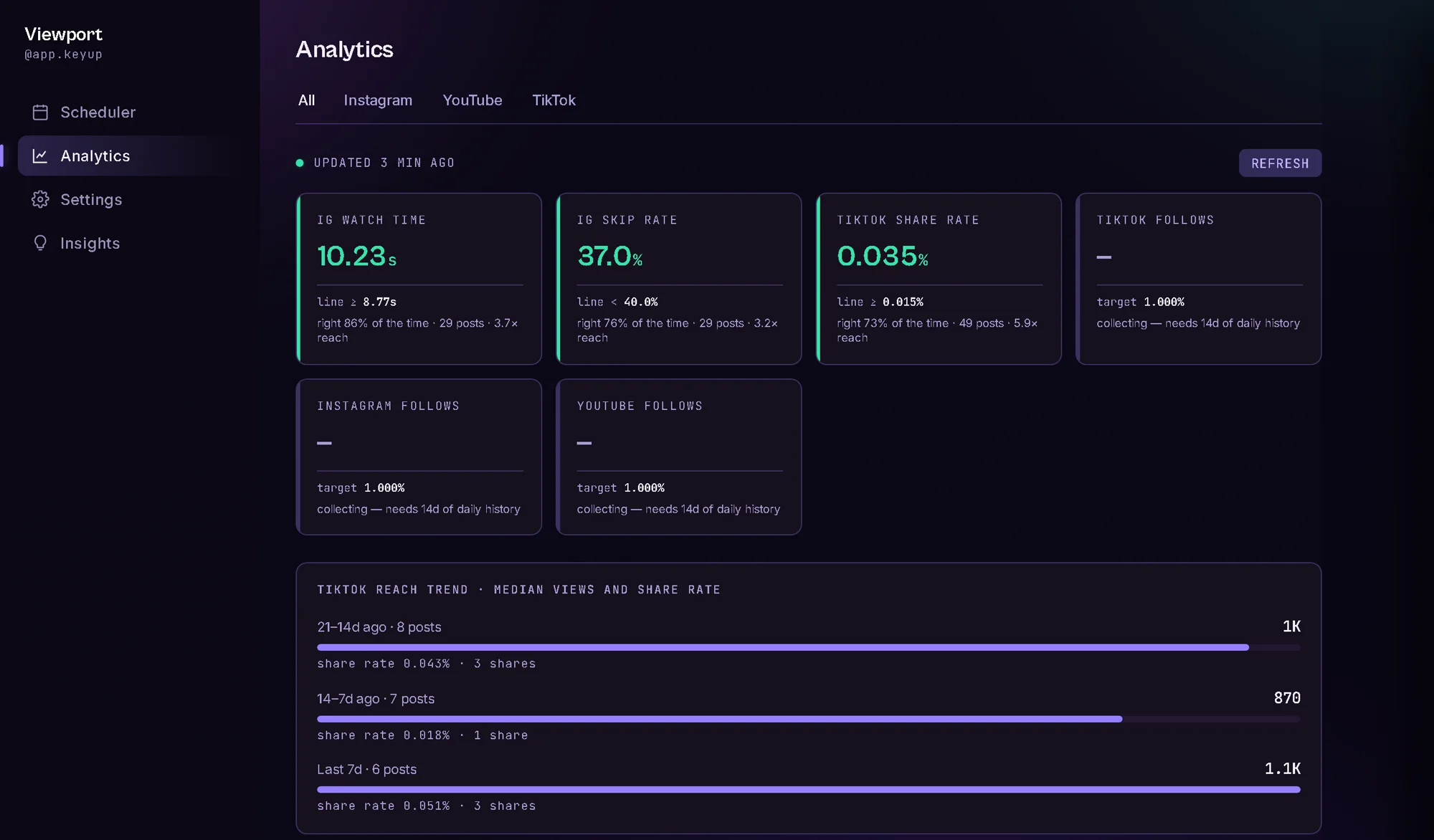
Live from the account it was built for. Three signals are shown because three hold up. Two more were tested and dropped — a signal that can't beat a coin flip doesn't get a tile.
The line is found, not typed
Your account is not the average account.
Every guide has a number for you. Hook them in three seconds. Aim for four percent. None of it was measured on your audience.
Viewport sorts your posts by whether they out-reached your own median, then finds the cut that best separates the two piles. That cut is your line, and it moves as you post. The accuracy it shows is scored on posts it hasn't seen — so it can't flatter itself.
The queue
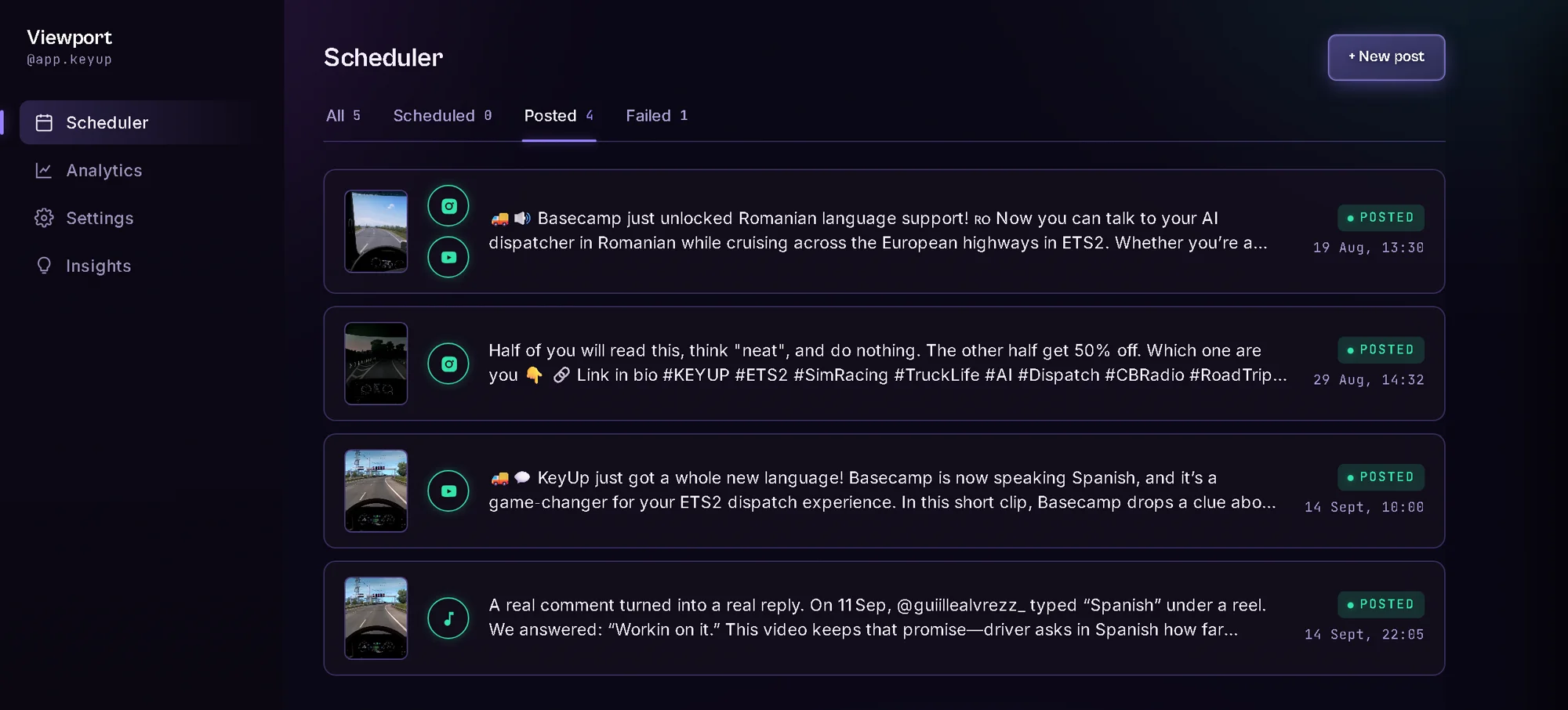
One video, one card.
A clip posted to three platforms is one card, not three. Open it and each platform gets its own tab — the same video can clear every signal on TikTok and miss them all on Instagram, and that gap is the interesting part.
Before it goes
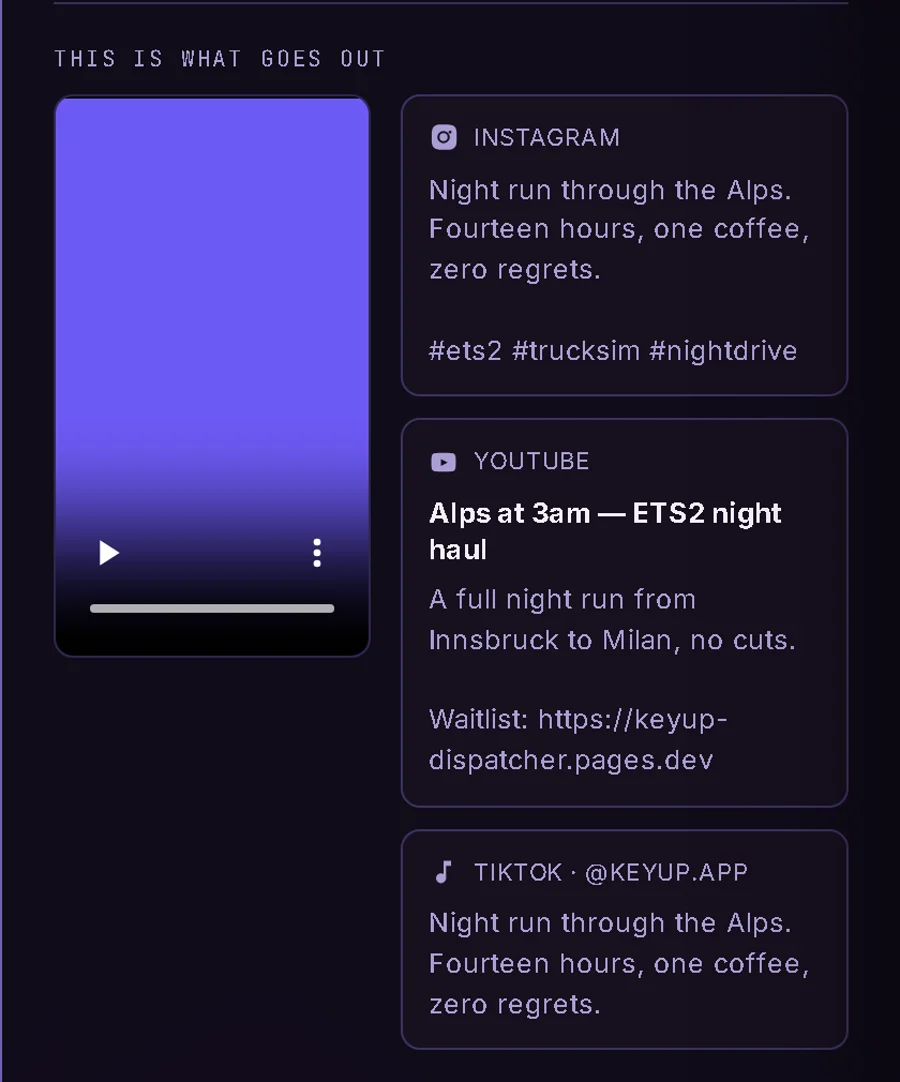
You see exactly what each platform will get.
The last screen puts the video beside the caption Instagram receives, the title and description YouTube receives, and the caption TikTok receives. Side by side, because the differences are what people get wrong.
For TikTok you choose who can see it. Nobody chooses for you.
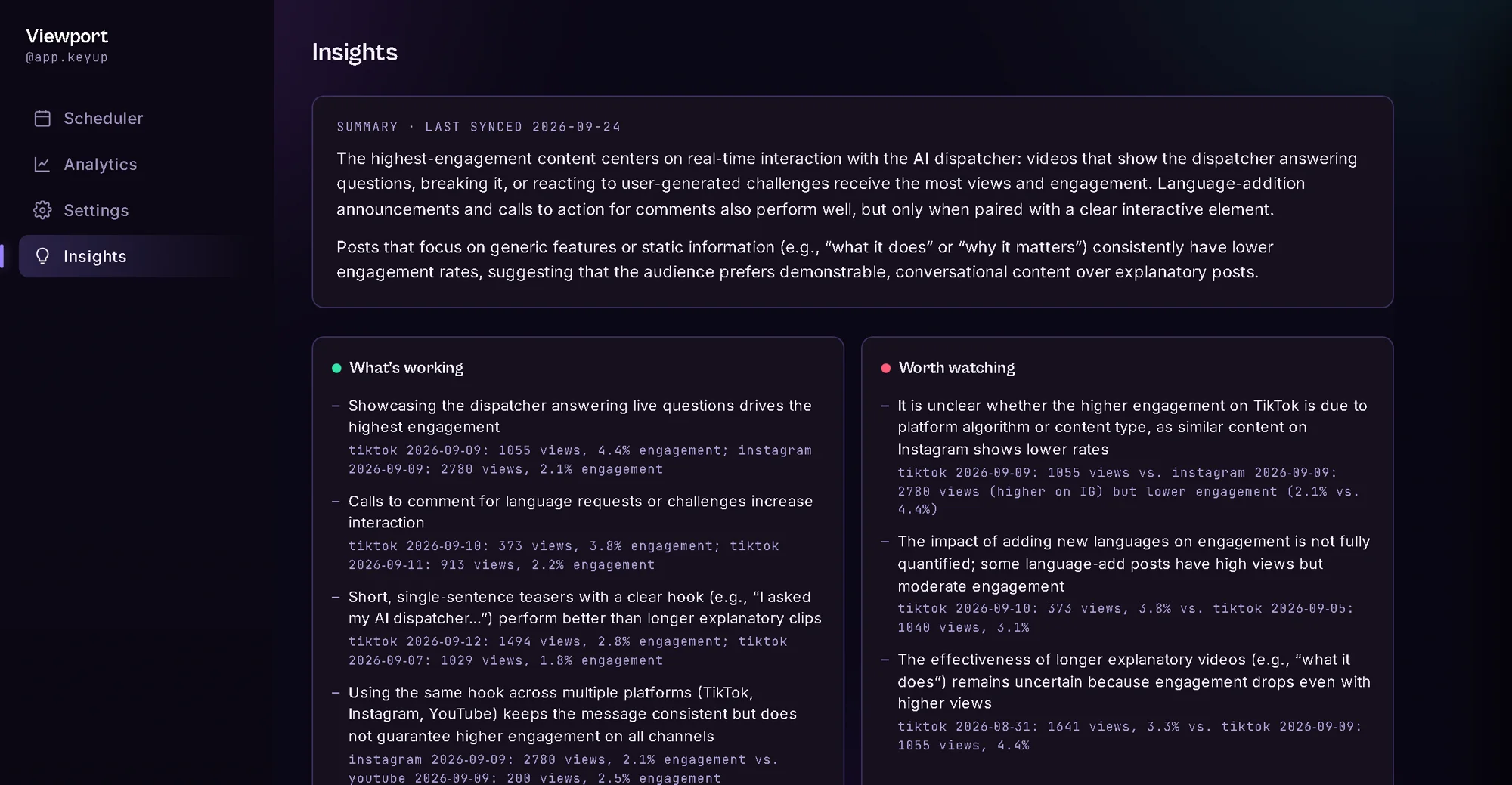
In writing
A short read of the last thirty days.
Grounded in the posts themselves, with the numbers next to each claim so you can check it.
The TikTok problem
Posting to TikTok yourself means passing TikTok's review first.
TikTok makes every app that posts publicly get registered and reviewed by TikTok first. Doing that on your own means becoming a developer, owning a domain, recording a demo and waiting. Most people stop there.
Viewport goes through that review once, as one app, for everyone who uses it. You connect your own TikTok account with TikTok's own login, and that is the whole setup.
Doing it on your own
- Register as a TikTok developer
- Own a domain
- Serve terms and privacy pages from it
- Verify that domain with TikTok
- Record a demo of your own software
- Wait days, sometimes a fortnight
Then find out whether they said yes.
Viewport
- Press Connect
- Log in to TikTok
You authorise your own account on TikTok's own screen, and you can revoke it there or in Viewport at any time.
Plainly: TikTok posts go through Viewport's one TikTok integration, so each account has a daily ceiling of fifteen TikTok posts, below TikTok's own limit. If the integration is ever unavailable, TikTok posts wait in the queue and go out when it's back — Instagram and YouTube don't depend on it.
Before you sign up
Two things that might make this the wrong tool.
One account, one set of connected profiles, no roles, no approvals. If anyone else needs to see the queue before a post goes out, this will fight you.
Instagram's API won't post to a personal one. It is the most common thing that stops Instagram from connecting.
Start
Stop guessing which post worked.
Create an account, connect Instagram, YouTube and TikTok from inside the app, and schedule your first post. It all runs in your browser.